One-tap clean
See exactly how much you can reclaim, then confirm once. No hunting through menus.
RoxLab Cleaner shows how much space you can get back, explains why, and cleans it with one clear confirmation. Your favorites and the best copy of every photo stay safe.
For iPhone (iOS 17 and later) and Android 8.0 and later
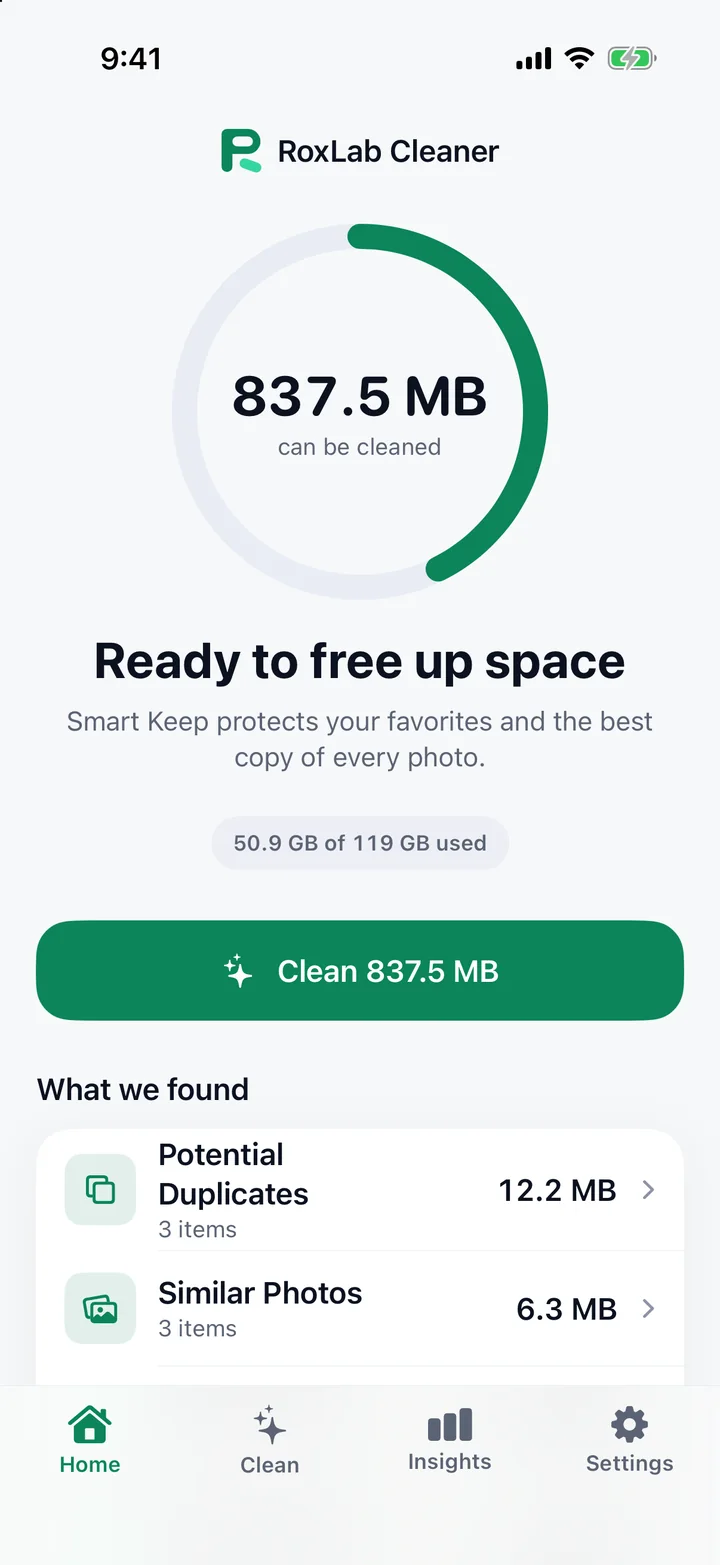
See exactly how much you can reclaim, then confirm once. No hunting through menus.
Groups of near-identical shots with a recommended best copy to keep.
Favorites and the best copy of every group are never selected for you. You decide the rest.
Spot the biggest space hogs, sort them, and preview before you decide.
The amount you see cleaned is measured after the fact, not estimated.
Features
One number, one button. RoxLab Cleaner scans on your device and shows how much space is ready to clean, with a clear breakdown of where it comes from.
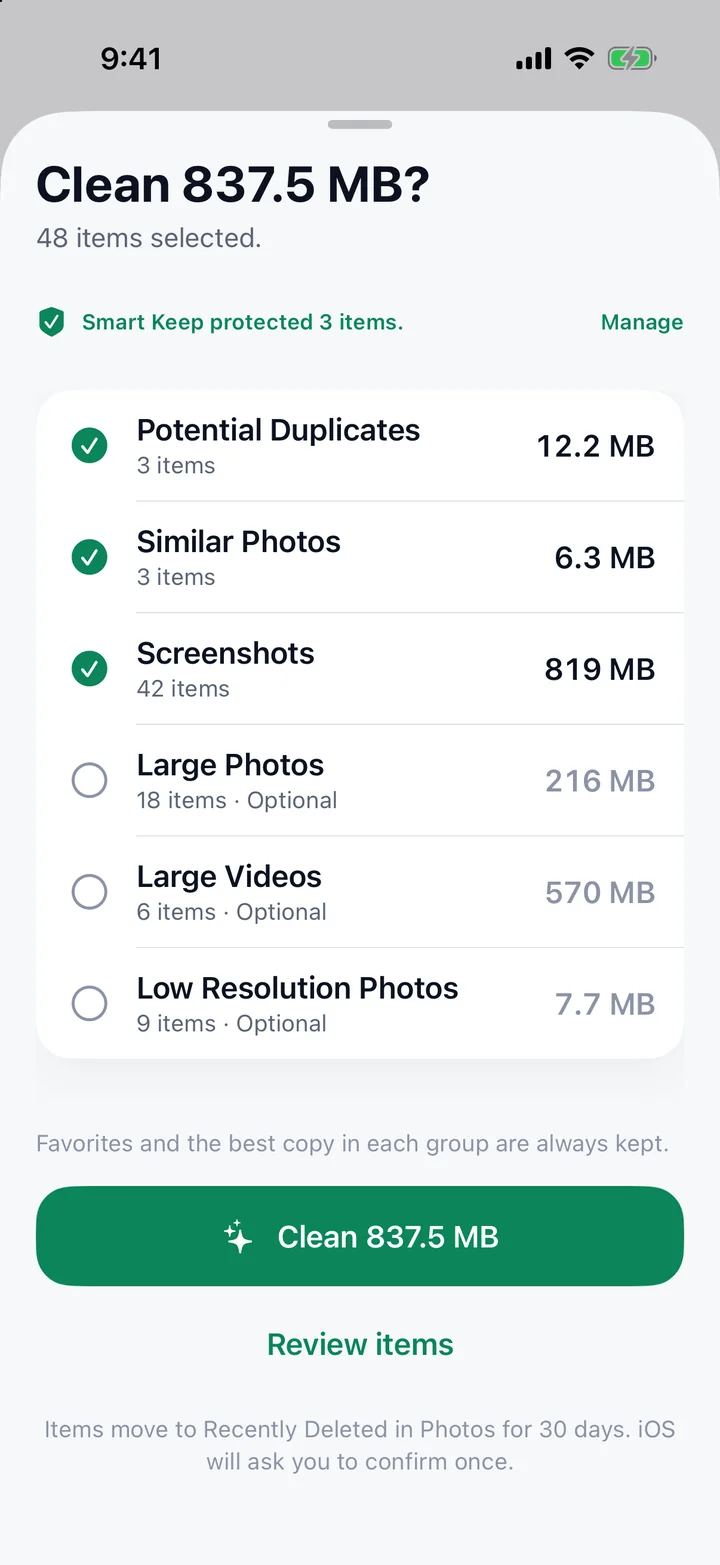
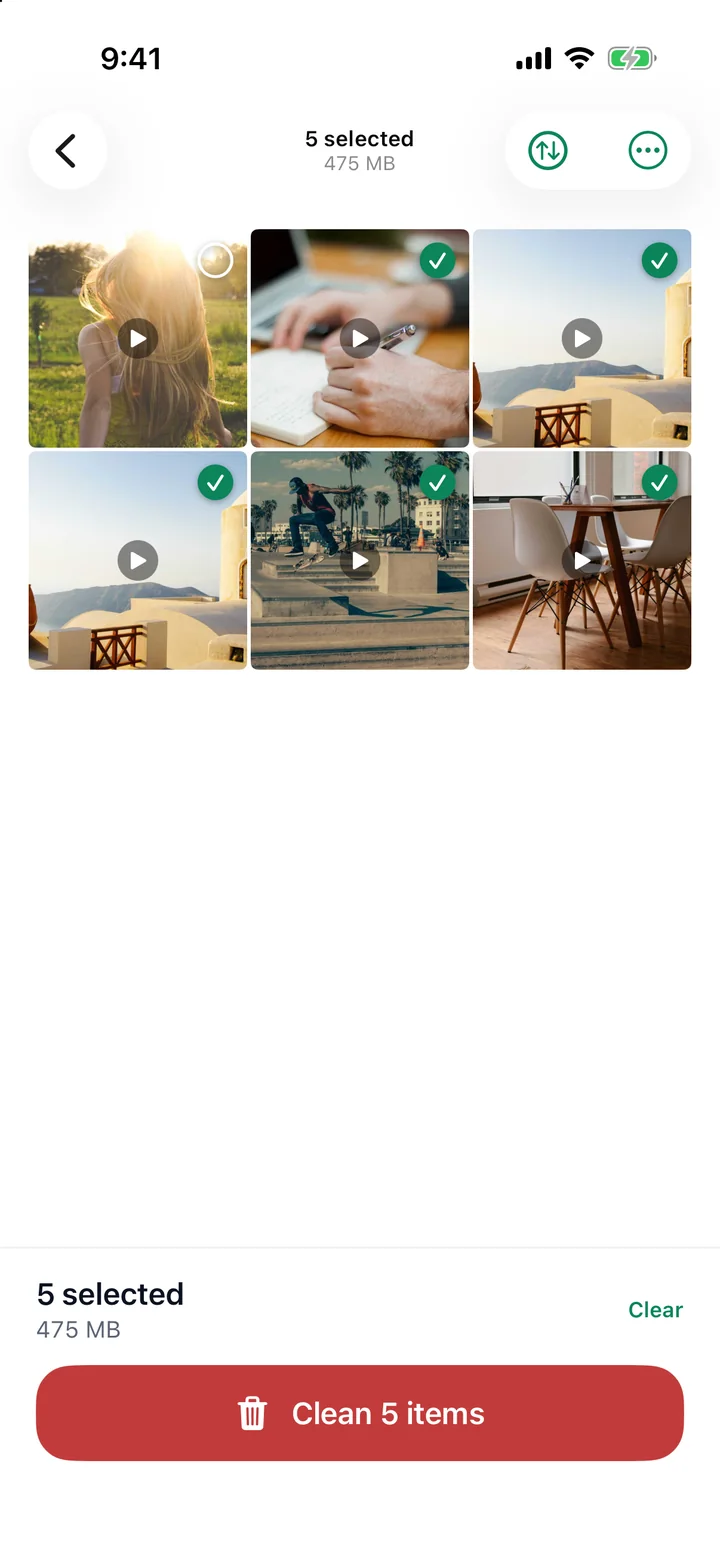
Before anything is removed, you see what is selected by category, how many items, and what Smart Keep protected. Review is optional. Nothing happens until you tap Clean.
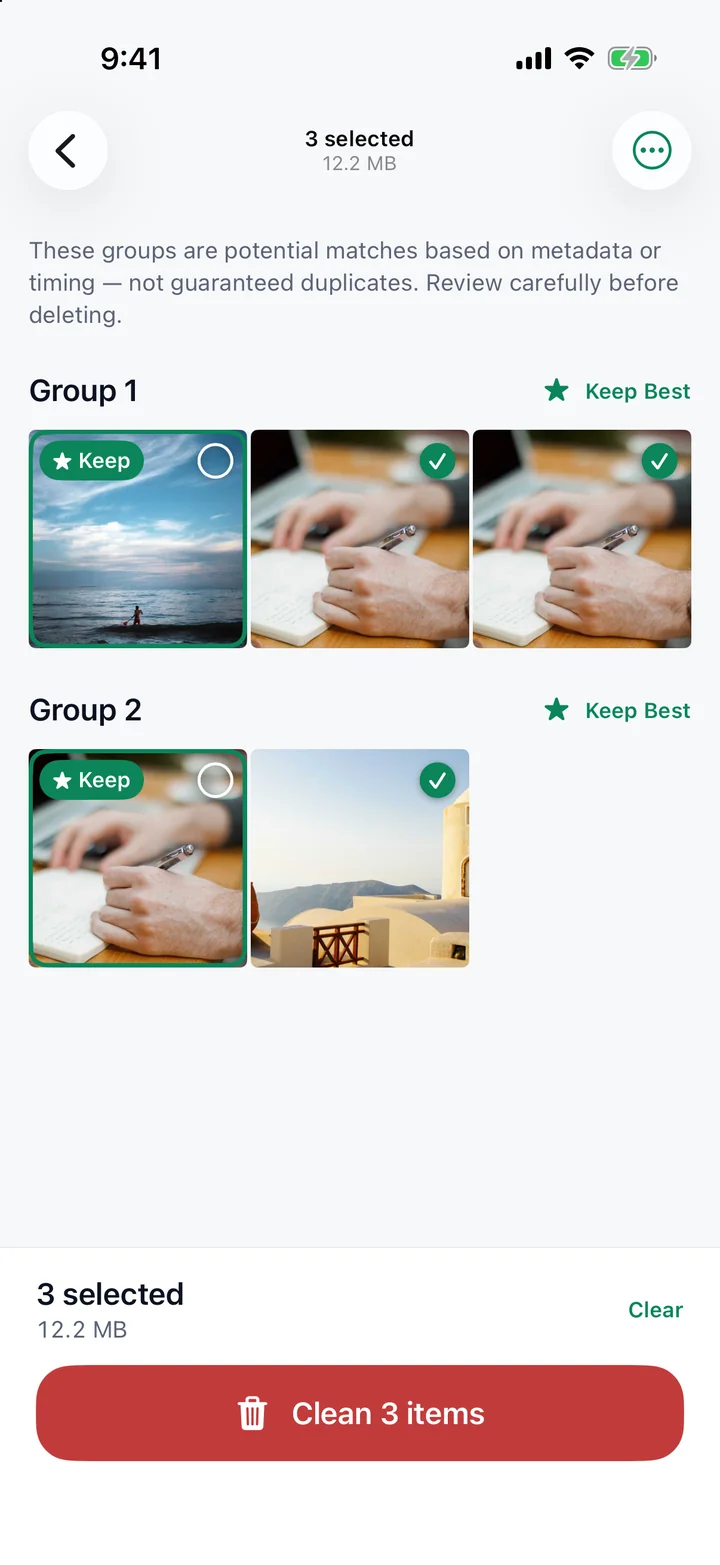
Duplicate and similar photos are grouped, with a best copy marked Keep. Select the extras, or choose manually, photo by photo.
Large videos and files are easy to spot. Sort by size or date, and preview before you decide what goes.
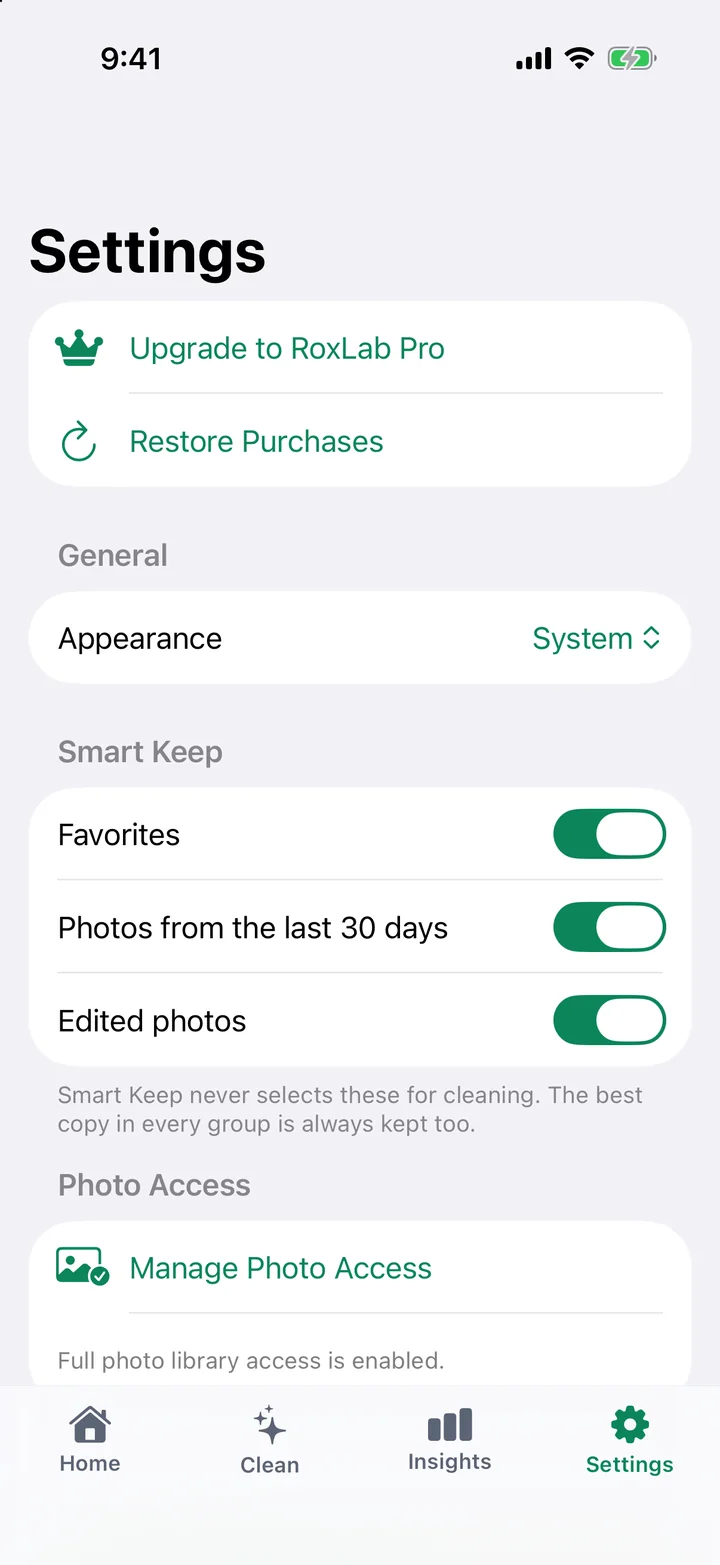
Smart Keep never selects your favorites, recent photos or edited photos for cleaning, and you can change what it protects at any time.
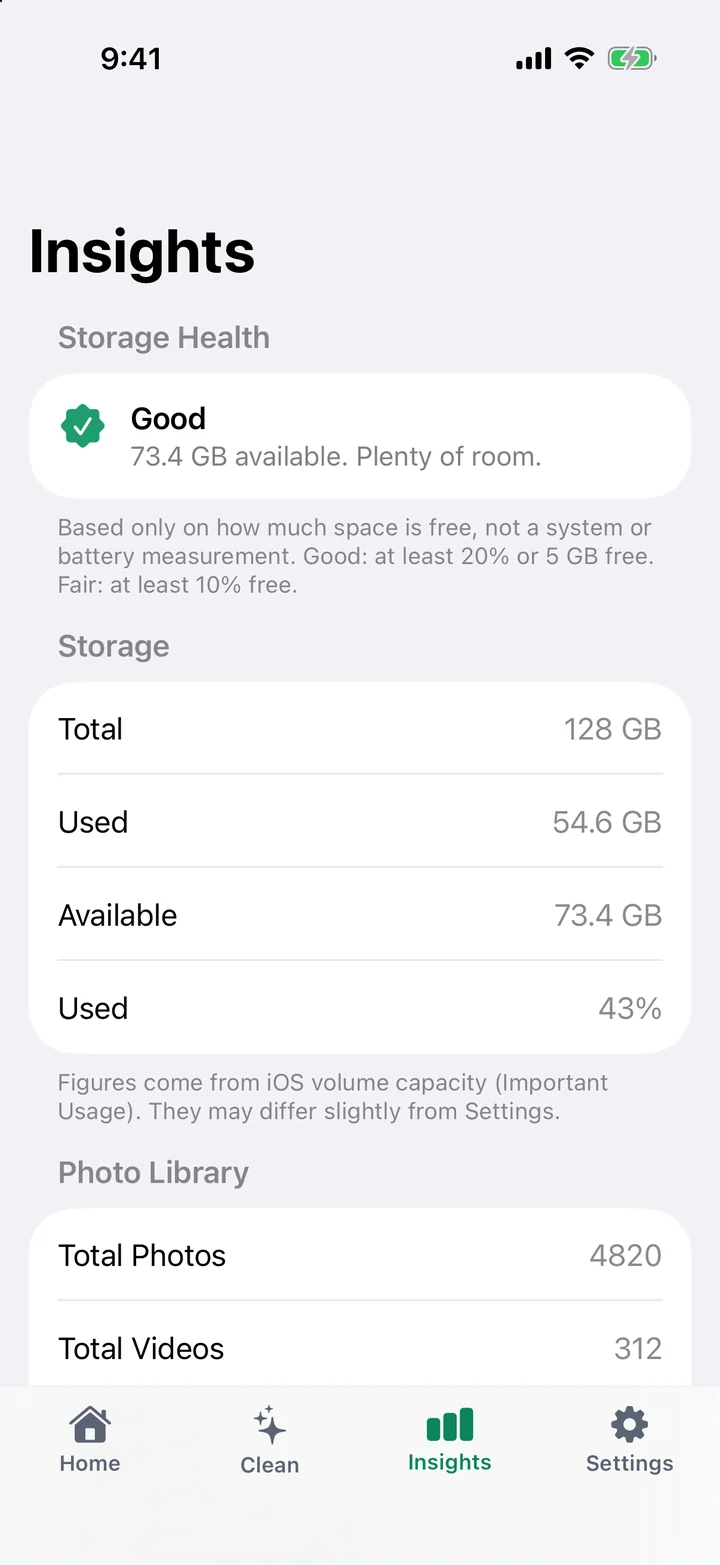
A simple storage overview and Storage Health, based only on how much space is free. It is not a fake system or battery score.
Three steps. You stay in control the whole way.
01
RoxLab Cleaner analyzes your photos and storage right on your device.
02
See what was found and why. Smart Keep protects favorites and the best copies.
03
Confirm once. The result shows what was really removed.
RoxLab Cleaner analyzes your library on your device. We never upload your photos or videos, and we never delete anything without your confirmation.
Nothing is removed until you confirm. The system also asks: iOS and Android show their own confirmation before photos are deleted.
Photos, videos and files are analyzed locally. We do not upload your personal files to RoxLab servers, and there is no RoxLab account.
On iPhone, removed photos stay in Recently Deleted for 30 days (Apple's rule), and we say so. On Android, removed items are permanently deleted, and we say that too.
The free version shows ads from Google AdMob. Pro removes ads. You can change permissions in your device settings, or uninstall the app, at any time.
RoxLab Cleaner asks only for what a feature needs, when it needs it, and explains why first.
On iPhone, RoxLab Cleaner asks for access to your photo library. If you choose Limited Access, it only scans the photos you selected and says so. On Android, it asks for media access (on Android 14 and later you can share only selected photos).
To find apps you have not opened recently, the unused-apps tool may ask for usage access, a system setting you can grant or revoke at any time.
On iPhone you may see Apple's tracking prompt and Google's consent form before ads are shown in the free version. You can say no and still use the app.
An internet connection is used for ads in the free version, purchases through your store, and (on Android) analytics and remote configuration. On iPhone, Apple may download an iCloud photo to show its preview.
You can change or revoke permissions in your device settings. Features that depend on a permission are limited until it is granted.
RoxLab Pro is optional. Choose a monthly or yearly subscription, or pay once for lifetime access where it is offered. Purchases are handled by the App Store or Google Play.
An uninterrupted cleaning experience on iPhone and Android.
Pay once and keep Pro for good. No subscription, no renewal, and you can restore it anytime.
On Android, Pro unlocks similar-photo matching, with a recommended best copy.
Cleanup recommendations ranked by space freed, and storage growth over time.
Duplicate detection is included for everyone. Prices, trials and plans are shown in the app and vary by region and platform.
Billed through the App Store or Google Play. Subscriptions can be canceled anytime in your store account settings.
Free up space on your iPhone or Android phone with RoxLab Cleaner.